
You’re usually deep into the move before the real risk becomes obvious. The lease is signed, furniture plans look fine, the movers have a date, and then IT starts asking the questions that decide whether the relocation goes smoothly or turns into an outage. Where will the servers stage. Who controls storage media in transit. Which devices are moving, which are being retired, and who signs for each handoff.
That’s why choosing office relocation movers can’t be treated as a basic facilities purchase. For any business with servers, network gear, laptops, phones, printers, copiers, lab devices, medical hardware, or regulated data, an office move is an IT and operations project first, and a transport project second.
The Strategic Relocation Blueprint
A business move fails long before move day. It fails when leadership treats it like packing and trucking instead of a controlled cutover. The firms that plan over 4 to 6 months with a 2 to 3 month planning phase, 1 to 2 month preparation phase, 1 to 2 week execution phase, and 2 to 4 week post-move phase report 85% to 90% success rates, compared with 60% for ad-hoc plans, according to JK Moving’s office moving guidance.

Build the committee early
Start with a relocation committee that includes IT, operations, facilities, HR, finance, security, and one executive sponsor. If any one of those groups enters late, you’ll end up redesigning the plan around access cards, cabling, procurement approvals, furniture lead times, or workstation assignments.
The move lead shouldn’t be the loudest person in the room. It should be the person who can enforce sequence. Office relocations break when teams work in parallel on tasks that depend on one another.
A useful ownership model looks like this:
- IT owns asset inventory, de-install sequencing, backups, new-site readiness, and go-live testing.
- Operations owns building access, loading dock scheduling, vendor coordination, and floor readiness.
- HR owns staff communication, seating changes, and day-one employee instructions.
- Finance owns approval controls, invoice tracking, and reconciliation against scope.
Practical rule: If a task affects uptime, compliance, or employee productivity, assign a single owner and a due date.
Set the scope before you price the move
A relocation budget that only covers trucks and labor isn’t a budget. It’s a placeholder. Real office moves often uncover new patching, power work, rack changes, surplus equipment, and temporary service overlap at both locations.
Use a short decision table before requesting mover proposals:
| Category | Ask first | Why it matters |
|---|---|---|
| Active IT | What must be live on day one | Protects business continuity |
| Surplus IT | What will be retired before the move | Reduces clutter and risk |
| Critical systems | What can’t tolerate interruption | Drives move sequence |
| New site readiness | What must be installed before arrival | Prevents idle crews |
| Compliance items | What needs documented destruction or recycling | Closes liability gaps |
Define operational KPIs
Good move plans use measurable outcomes, but not every KPI needs to be numeric. The strongest scorecards are simple and tied to business risk.
Track items such as:
- Zero unaccounted devices
- Zero data loss
- Documented custody for storage media
- Critical applications verified before users arrive
- All retired devices routed to approved disposition
- Executive sign-off at each phase gate
Work in phases, not in one giant weekend
Even if the physical move happens over a weekend, the project shouldn’t. Treat the relocation as staged work: strategic planning, preparation, execution, then reconciliation. That structure forces teams to solve dependencies in advance instead of improvising in a loading dock.
Weekend moves still make sense because they reduce disruption. But they only work if the new site has already passed readiness checks for power, internet, wireless coverage, access control, conference rooms, and receiving paths.
Vetting Partners for High-Stakes IT Assets
Price-only selection is one of the most expensive mistakes in office moves. A mover can be perfectly competent at desks, chairs, and file cabinets and still be the wrong fit for server racks, network closets, storage arrays, copiers with hard drives, or regulated endpoint devices.
What to ask office relocation movers
Ask direct questions, and insist on direct answers.
- Electronics handling. How do you pack switches, servers, monitors, and devices with fragile ports or drives.
- Specialized equipment. Do you use anti-static materials, server carts, lift-gate trucks, and protected staging areas.
- Crew experience. How often does your team handle business relocations with IT-heavy environments.
- Insurance scope. Does coverage clearly address electronics and high-value business equipment.
- Escalation path. Who makes decisions on move day when dock access changes, elevators fail, or staging space disappears.
If the mover answers every question with “we handle that all the time” but can’t describe the actual process, keep looking.
Separate moving from IT asset disposition
General movers move assets. They don’t usually sanitize data, shred drives, issue destruction documentation, or manage electronics recycling. That gap matters because the riskiest devices in a move are often the ones you’re not taking to the new site.
Use a separate ITAD workstream for retired laptops, storage media, decommissioned servers, obsolete networking gear, and copier drives. During vendor review, a practical starting point is a formal vendor due diligence checklist for IT and recycling partners.
A low bid can still be the highest-risk choice if it leaves your team holding liability for retired devices.
Signs you have the right partners
A qualified setup usually includes two coordinated partners. One handles physical relocation. The other handles secure disposition for non-deploying equipment.
Look for this division of labor:
| Function | General mover | ITAD partner |
|---|---|---|
| Pack and transport furniture | Yes | No |
| Move active workstations | Sometimes | Sometimes |
| De-install servers and network gear | Sometimes | Often |
| Data wiping and drive shredding | No | Yes |
| Recycling and destruction records | No | Yes |
That split may feel more complex on paper, but it lowers risk in practice. It also keeps your active move lanes clean because surplus equipment doesn’t pile up in hallways waiting for someone to decide its fate.
Secure De-Installation and Asset Disposition
Most relocation failures I’ve seen started with a bad assumption: that unplugging equipment is simple. It isn’t. The hard part is deciding what each device is, what data it holds, where it goes next, and what proof you’ll have after it leaves the site.

Start with a disposition map
Before a single cable is pulled, complete a physical asset inventory. Every tagged item should fall into one of three buckets: relocate, resell, or recycle. Don’t leave that decision to movers standing in a server room at 9 p.m.
A clean pre-move inventory should capture:
- Device identity such as asset tag, serial, user, and location
- Role in the business such as active production, spare, test, or retired
- Data status such as no media, media present, encrypted, or requires destruction
- Final path such as new office, warehouse, remarketing, or recycling
Treat data destruction as part of the move
Generic office relocation movers typically fall short. A documented market gap exists because mover content tends to discuss setup and transport while overlooking compliant wiping, shredding, and liability transfer. One cited source states that a Gartner report noted 68% of data breaches stem from improper disposal during relocations, highlighted in this discussion of commercial moving blind spots.
That’s why storage media should never drift into a general packing stream. Hard drives, SSDs, backup tapes, copier drives, and retired servers need their own chain, their own signoff, and their own disposition record.
Match the method to the asset
Not every device needs the same treatment.
- Certified data wiping fits equipment you plan to reuse or remarket.
- Physical destruction fits failed media, highly sensitive devices, or hardware leaving a regulated environment.
- Recycling with documentation fits equipment at end of life after sanitization or destruction is complete.
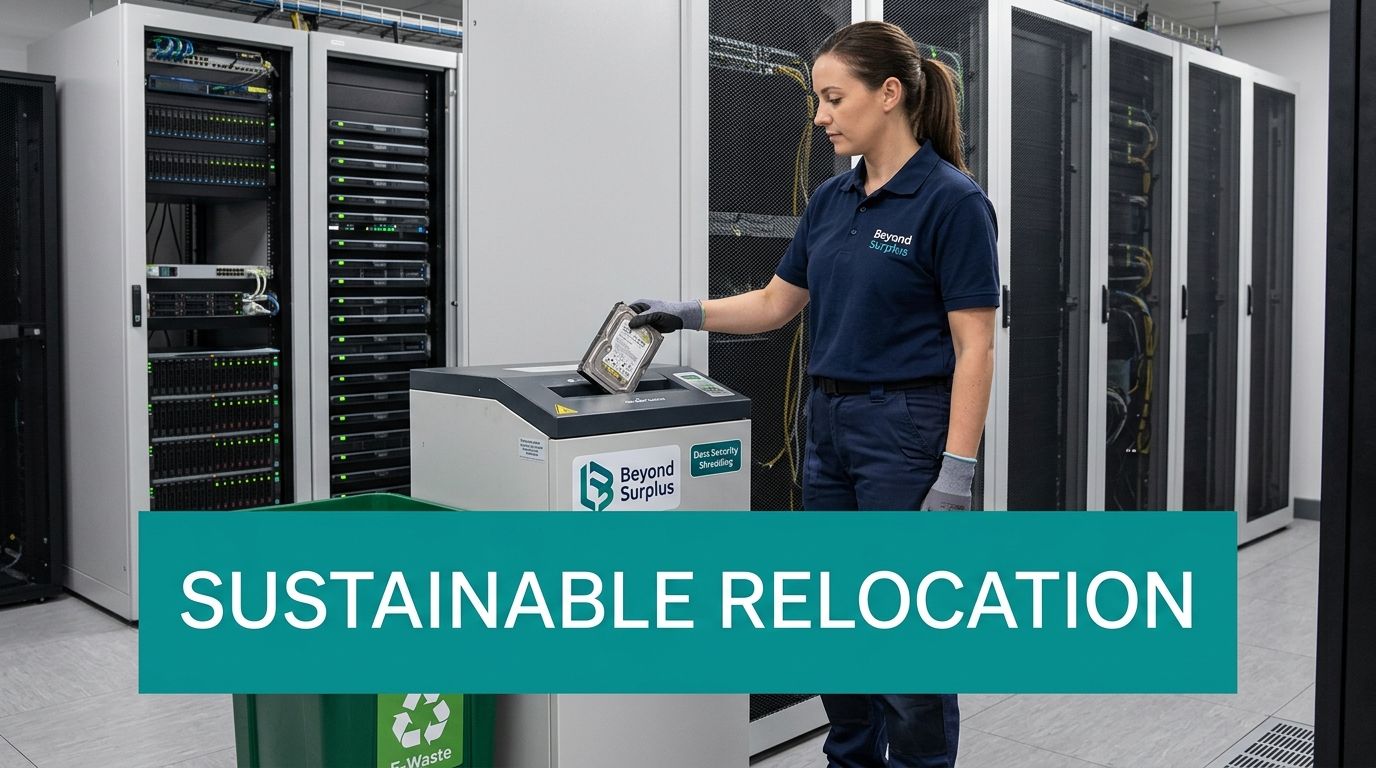
If you need a dedicated disposition lane, IT asset removal services can be used to pull retired equipment out before move week so active infrastructure isn’t competing with scrap for space. Beyond Surplus is one example of a provider that handles pickup, secure data destruction, and recycling documentation as part of that workflow.
Retired equipment shouldn’t travel to the new office just because nobody made a decision in time.
Turn clutter into a controlled outcome
Surplus gear creates three problems during a relocation. It blocks staging space, confuses inventories, and expands your security exposure. Remove it before the main move whenever possible.
For IT and ops teams, the right question isn’t “Can we move this?” It’s “Should this still exist in our environment at all?” Once you ask that early, the de-install process becomes cleaner, faster, and much easier to audit.
Move Execution and Chain of Custody
Move day is where clean plans meet elevators, loading docks, access badges, weather, and human error. The best office relocation movers don’t try to remove the chaos entirely. They control it.

Two different lanes on move day
A box of spare keyboards and a production firewall shouldn’t move through the same process. One is low consequence. The other can shut down the business if it disappears, breaks, or lands in the wrong room.
Run at least two lanes:
| Asset type | Handling model |
|---|---|
| Standard office equipment | Batch labeling, room-based staging, general mover custody |
| Sensitive IT hardware | Individual verification, tamper-aware packing, supervised custody |
For sensitive gear, assign an IT witness at origin and another at destination. They don’t need to carry the equipment. They need to verify handoff, condition, and receiving location.
What controlled custody looks like
Each high-risk item should be logged when it leaves service, packed with a matching identifier, checked onto the vehicle, checked off at arrival, and verified in staging before installation starts. If a device contains storage media, note that separately.
A simple control stack works well:
- Unique label tied to the inventory record
- Sealed container or protected crate for media-bearing devices
- Handoff log with names, time, and destination
- Arrival verification before unpacking
- Exception record for damage, missing labels, or room mismatches
If you can’t show who had custody of a device at each handoff, you don’t have real control. You have assumptions.
Document what closes liability
A lot of teams wait until after the move to think about documentation. That’s backwards. Build the paperwork into the execution plan before trucks arrive.
For destroyed drives or retired devices, use a clear certificate of destruction template as the standard your vendors must satisfy. It keeps legal, compliance, and procurement aligned on what evidence counts.
One more practical point. Don’t let installers scatter devices across the new floor before receipt is complete. Stage first. Verify second. Deploy third. That order prevents the “we think it came over” problem that drags out the first week in the new office.
Post-Move Relaunch and Final Reconciliation
An office isn’t relaunched when the furniture is in place. It’s relaunched when users can work, systems perform as expected, and the asset record matches reality.

Bring core services online in order
Start with network, internet, firewalls, identity, core servers, and shared printing. User endpoints come after the backbone is stable. Teams that rush to reconnect desks before validating infrastructure usually create a flood of support tickets that masks underlying faults.
Use a relaunch sequence like this:
- Confirm backbone systems are up and reachable.
- Test business-critical applications with actual user workflows.
- Validate conference rooms, phones, printers, and wireless in the spaces people will use first.
- Release departments in waves instead of all at once.
Audit the move, not just the invoices
A proper post-move review compares the final received inventory against the pre-move list and the disposition list. That’s how you catch devices that were staged but never deployed, retired assets that were never removed from records, or equipment that landed in the wrong department.
Structured post-move audits should track more than spend. Guidance in this relocation audit resource recommends measuring productivity recovery with a target of +5% to 10% within 4 weeks, as well as employee NPS. The same source states that structured approaches yield 75% on-time project completion versus 45% for uncontrolled processes, helping limit 20% to 40% productivity dips that often surround moves.
Close the paperwork loop
This is the point where compliance and finance need final evidence, not verbal confirmation. Collect recycling records, destruction documentation, pickup logs, and any asset recovery reporting tied to devices that didn’t make the move.
If part of your project included remarketing or buyback for retired equipment, asset recovery services in Georgia are the type of specialized workflow to align with final reconciliation so accounting, procurement, and IT all close against the same records.
The move is finished when every moved asset is received, every retired asset is documented, and every exception has an owner.
Advanced Strategies for Risk and Sustainability
The most mature relocation programs treat risk and sustainability as the same management problem. Both depend on visibility, documentation, and early decisions. When those pieces are missing, companies lose control of devices, generate unnecessary waste, and create avoidable exposure with employees and auditors.
Don’t separate employee disruption from technical risk
Poor communication creates operational drag. Employees start hoarding equipment, teams improvise their own packing methods, and nobody knows what will work on day one. That’s how relocation risk spreads from the server room to the entire business.
Use a simple rhythm:
- Announce what’s changing and when each team is affected
- Explain what employees should not move themselves
- Publish support channels for day-one issues
- Collect feedback quickly so facilities and IT can fix layout or setup problems early
Use the move to clean up e-waste
Sustainability is still a blind spot in most mover conversations. One cited source states that EPA data shows office relocations can generate 15 to 20 tons of e-waste per 10,000 sq ft, while 72% of enterprises face potential ESG penalties for poor e-waste handling, as summarized in this sustainability-focused office mover analysis.
That changes how you should think about surplus devices. They aren’t just leftovers from a move. They’re part of your environmental and compliance record.
A better approach is to define, before move week:
- What will be redeployed
- What has resale or recovery potential
- What requires certified recycling
- What must be destroyed because of data sensitivity
There’s a useful parallel in other capital projects. Companies comparing vendors for energy upgrades often ask for documentation on performance, scope, and installation standards before they buy. The same discipline shows up when organizations compare London solar panel quotes to avoid making a decision on price alone. Relocation and e-waste planning benefit from the same procurement mindset.
Build one policy for disposal and reporting
If your relocation policy says “move everything unless told otherwise,” you’ll miss the opportunity to shrink the footprint and clean out obsolete gear. A better rule is that every non-deploying device must be assigned to recovery, recycling, or destruction before trucks are booked.
For organizations that want formal support around responsible downstream handling, an ESG recycling partner in Georgia fits into the relocation plan as a reporting and compliance function, not just a pickup vendor.
If your business is planning a move with servers, endpoints, storage media, network gear, or surplus electronics in the mix, contact Beyond Surplus for certified electronics recycling and secure IT asset disposal.